Columns in the main tab
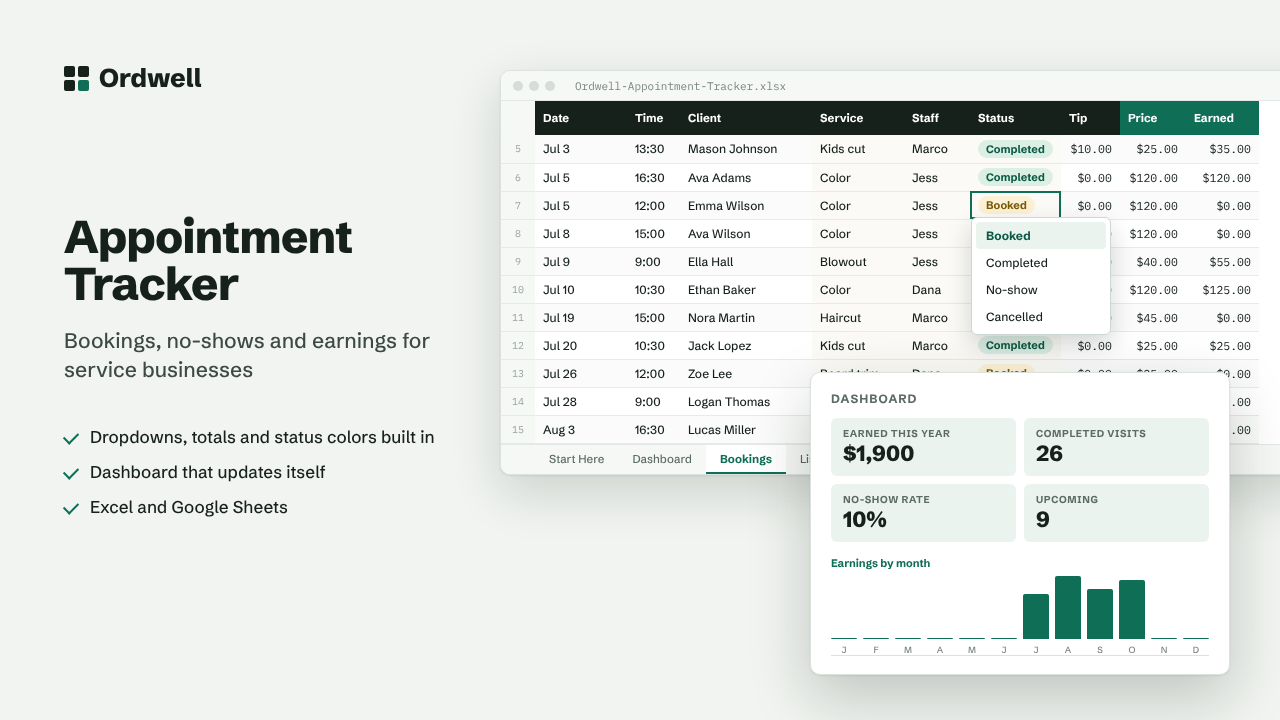
DateTimeClientServiceStaffStatusTipPriceEarned
Excel & Google Sheets template
Appointment & Booking Tracker
Bookings, no-shows and earnings for service businesses
$12
Available this week · $12
- Works inExcel 2010+, Google Sheets
- TabsStart Here, Dashboard, data, Lists
- Rows ready500, formatted
- MacrosNone
- Sample dataIncluded, easy to delete
Need more than one? The Small Business Suite has all ten for $39.
How it works
- Put your services and prices on the Lists tab (Services and Price columns side by side).
- Log each booking on the Bookings tab. The price fills in from the service you pick.
- Mark each booking Completed, No-show or Cancelled. Add tips if you take them.
- The Dashboard shows earnings by month, your busiest services and your no-show rate.
On the dashboard
- Earned this year
- Completed visits
- No-show rate
- Upcoming
- Tips
- Average ticket