Columns in the main tab
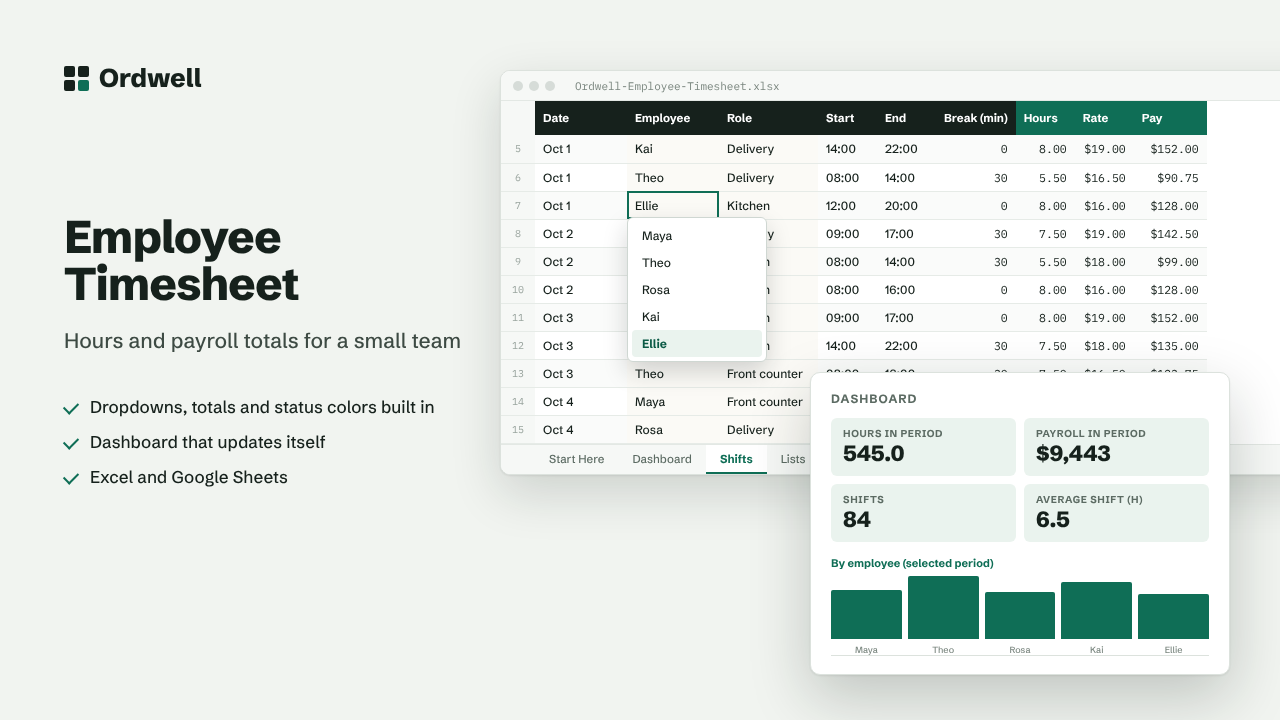
DateEmployeeRoleStartEndBreak (min)HoursRatePay
Excel & Google Sheets template
Employee Shift & Timesheet Tracker
Hours and payroll totals for a small team
$10
Available this week · $10
- Works inExcel 2010+, Google Sheets
- TabsStart Here, Dashboard, data, Lists
- Rows ready500, formatted
- MacrosNone
- Sample dataIncluded, easy to delete
Need more than one? The Small Business Suite has all ten for $39.
How it works
- Add your team and hourly rates on the Lists tab (Employee and Rate columns side by side).
- Log each shift on the Shifts tab: date, employee, role, start and end time (like 09:00) and unpaid break minutes.
- Hours and pay are calculated per shift, including overnight shifts.
- The Dashboard totals hours and pay per person for any week or month you choose.
On the dashboard
- Hours in period
- Payroll in period
- Shifts
- Average shift (h)
- Team members
- Avg hourly cost